





















服务热线

如何正确校准网络分析仪和S参数测量
2021-12-28
429
This article comes from the "Internet". If there is any infringement or other issues, please contact us to delete it.支持知识产权保护,转载请注明原出处及作者。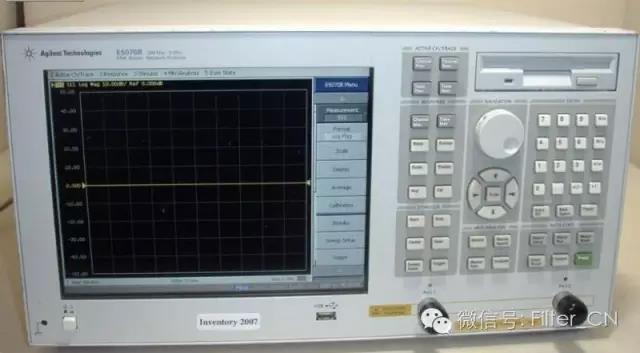
special warning
Network sub-users, pleaseWear an anti-static bracelet(任何人,任何时间)!!!
1. Connect the power source (place the source on the workbench). you need to enable4个人线路/电源“按钮。
2. Connect connectors and additional cables to the network analyzer as needed. Be very careful when handling network analyzer cables and do not bend them excessively.
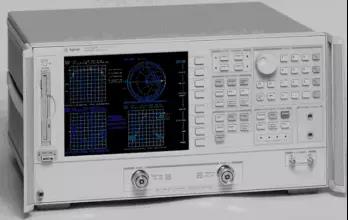
校准网络分析仪(仅限)(S11)or(S22)reflection measurement).
a. Select a calibration kit based on the type of connector you are using.
b. Set frequency range. existSTIMULUSControl up press开始输入所需的起始频率。重复相同的步骤设置终止频率。
c. 移除校准装置以清除表格。然后按下屏幕上的软键菜单。更多,然后按删除校准集, and finally choose a number.
d. Select calibration type. usuallyCAL1-7毫米, as this is the type of cable connected to the network analyzer.
e. 选择S11-1port orS22-1port (depending on the cable you want to use).
f. You are prompted to place the calibration standard on the cable terminal. They are in wooden boxes.
f1。 Start with the short circuit block (labeled). Connect the short circuit block and press the soft key淡在进行测量时(速度非常快)淡Underlined. Remove the shorting block, place the plastic cover over the standard, and locate the open block.
f2。 开口块。它的长度与短路块相同,但直径较小,末端有一个孔。根据打开,wait until打开(已划线)拆下开门器模块,并将塑料盖放回原位。
f3。 Find the load standard. This is the long, smooth cylinder in the box. Connect it and press加载,根据宽带, press again已完成加载. It is assumed that our load is accurate over the entire calibration frequency range, so this is a "broadband" standard. Replace the plastic cover and return all standards to the box. (Note! These standards are small and expensive, and if they are lost we will have no other standards.)
f4。 Isolation measurements are omitted.
i. 根据SAVE1端口校准. Press a number, this is where you want to save the calibration settings. It should answer "校正开启”。
II。 检查校准情况。最坏的情况通常是开路,因此需要再次启用开路判定标准。FORMAT点击菜单Smith 图. should be in史密斯您在图片右侧会看到一个小点,但也可能会看到一条短线。用同样的方法检查短路和负载。如果是短路,应该在……史密斯You can see a dot on the left side of the picture. For loads, the point should be in the middle. If none of these are "clear", redo these calibrations. Factors that may affect calibration include: the tightness of connections between cables and connectors, between components, and to the network analyzer.
III。 如果校准结果良好,则将标准盒放回柜中。
4b。 Calibrate network analyzers (full two-port calibration for reflection and transmission measurements).
a. Select a calibration kit based on the type of connector you are using.
b. Set frequency range. existSTIMULUSControl up press开始输入所需的起始频率。重复相同的步骤设置终止频率。
c. 存在菜单Control up pressCAL。
d. 移除校准装置以清除表格。然后按下屏幕上的软键菜单。更多,然后按删除校准集, and finally choose a number.
e. 选择校准 1 (7 毫米 A.1), because you use7mmThe connector cable goes to the network analyzer.
f. 选择反思Soft keys (on the side of the screen).
g. press above4a部分fAs mentioned above, connect open circuit, short circuit and pair in order.(S11)(港口1)和(S22)(港口2) calibrated terminals to match the load. When each terminal is attached to the cable, press its respective softkey, remove the terminal, and repeat the above steps until all calibrations are complete for both ports.
h. 根据反思并完成。
i. 选择变速箱Soft keys. Use threaded joints (with on both sides1/2"Long thread) connecting cable1和电缆2。 根据4For each of the soft keys, the key appears underlined. Press again交易完成。
j. 根据隔离软键。选择忽略隔离Soft keys. according to隔离完成。
k. 校准完成,必须保存校准结果。选择保存 2-PORTCAL. 将校准结果保存到之前删除的位置(1-8) (it doesn’t matter which one you use, you can use several positions at the same time for different tests in different frequency ranges). The network analyzer should now say "修正开启”。
l. 检查校准情况。最坏的情况通常是开路,因此需要再次启用开路判定标准。FORMAT点击菜单Smith 图. should be in史密斯您在图片右侧会看到一个小点,但也可能会看到一条短线。用同样的方法检查短路和负载。如果是短路,应该在……史密斯You can see a dot on the left side of the picture. For loads, the point should be in the middle. If none of these are "clear", redo these calibrations. Factors that may affect calibration include: the tightness of connections between cables and connectors, between components, and to the network analyzer.
m. 如果校准结果良好,则将标准盒放回柜中。
4c。 校准网络分析仪(用于微带线测量)TRL Two-port calibration)
see front4a(aesection) detailed introduction. Set frequency.
选择CAL。
删除校准设置。
选择校准 1 (7 毫米 A.1)。
选择TLR Two port soft keys.
将微带电缆桥架连接到端口1和端口2connected cables.
This calibration should use microstrip line calibrationTRL设定。
将有THRU将标记好的微带线段放入测试支架中,并调整测试支架,使其两端位置正确。您可以透过支架顶部的孔观察,确保所有部件都放置正确。THRUsoftkey and wait until undefined underscore appears.
Loosen the test bracket, at the test bracket's port1-反映标记较短的微带线(微带线的另一端未连接到测试支架的另一侧,从而可以进行反射校准)。根据S11 反射and wait for it to be underlined. Place the microstrip line segment into(S22)side. according toS22 反射and wait for it to be underlined.
根据隔离Soft keys. according to忽略隔离 , press again 隔离完成。
将测试架放置于LINEMark the long microstrip line and press线/匹配key. When the underline appears, press保存 TRL 2-port key and save the calibration coefficients to the previously deleted location.
根据需要进行微带线电路测试。
有关TRL关于校准的重要说明:
you will be in准入表格而不是预期的位置阻抗Low frequency data are seen in the table. The cutoff frequency of our calibration setup is approximately2GHz。

To measure impedance 存在FORMAT点击菜单史密斯圆图。 存在网站地图点击菜单标记>, use the thumb knob to move the marker to the frequency you are interested in (indicated in the upper left corner of the screen). existWThere are two numbers after , which are the impedance in Ω (real and imaginary parts). To use more markers, press标记, and select another number. There can be at most5标记(不同频率)。
To see the reflection coefficient((S11)or(S22)) 存在FORMAT点击菜单日志杂志。 根据网站地图(existFORMAT菜单),其中将提供各种打印选项。初始显示在屏幕左上角。日志杂志及其强度(带标记的标注频率)。其他选项包括:林麦, SWR, REAL, 影像学, POLAR等待。
更改图像比例,存在响应点击菜单规模, turn the acupressure knob until the image reaches the shape you want. Or select Scale on the Numeric keypad (then press on the Numeric keypadx1)。
To get a hard copy on the plotter:
1. 将纸张放入绘图仪(一张纸,绘图仪设置到此结束)。2/3light gray). Press and hold the switch on the right. Turn on the plotter power (rear left).
2. 存在辅助菜单(网络分析仪面板的下半部分)并按下COPY, send the drawing command to the plotter, specifying the content to be drawn (all)
保存到磁盘:
1. Use a U盘子。
1. 存在辅助点击菜单DISC。
2. STORE.More. 数据 - 数据。
3. this will bring outABCDEF……行,作为文件名的提示。用手指将旋钮转到相应的字母位置并按下选择字母, press again 商店. This will be saved in tab format. You can open this file with a simple text editor and load it intoMatlab的, and do other work.
This article comes from "Filter". If there is any infringement or other issues, please contact us to delete it.支持知识产权保护,转载请注明原出处及作者。
相关推荐
Kinghelm 销售副总监彭慧生:一位在深圳的客家人,凭借不懈努力不忘初心。
2026-08-03
811
宋世强谈战略:2026上海电子对话亮点
2026-07-21
856
清华大学的激情:攻克材料科学的挑战——专访CEN宁波金山新材料公司岑建军
2026-07-14
877
Kinghelm 连续第三年参加2026上海电子展!由总经理宋世强和总工程师秦向宏带领。
2026-07-08
825
远见卓识,勇于行动,下一个乘风破浪者可能就是你!——嘉政新城创始人佘维鑫访谈
2026-06-30
1008